
Artificial intelligence has transformed how creators work. Whether you’re designing social media graphics, crafting print-on-demand products, editing photos, or generating digital artwork, AI tools can save hours of work.
While many AI design platforms require expensive monthly subscriptions and internet connectivity, Creative Fabrica Studio Desktop offers something different. It brings AI-powered creative tools directly to your Windows or Mac computer, allowing creators to work faster while maintaining greater control over their projects.
In this review, we’ll explore everything you need to know about Creative Fabrica Studio Desktop—its features, performance, supported operating systems, pricing, advantages, limitations, and whether it’s worth downloading in 2026.
What is Creative Fabrica Studio Desktop?#
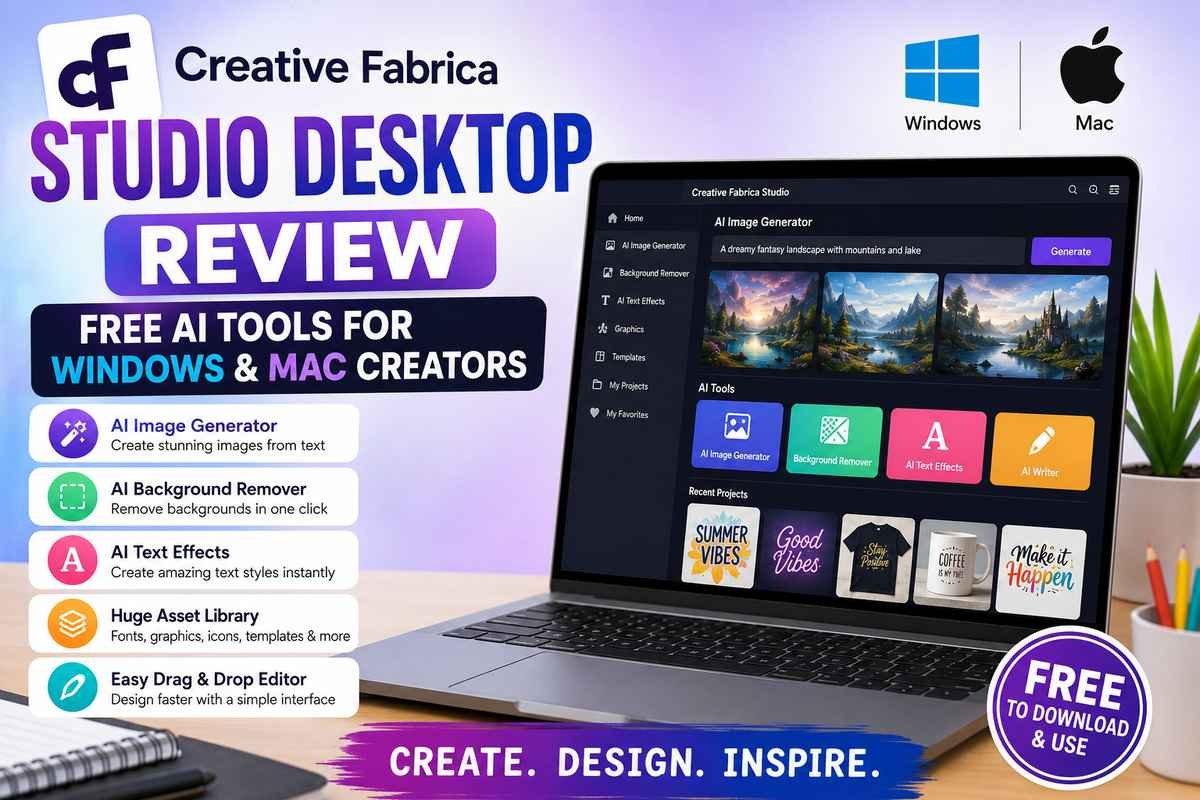
Creative Fabrica Studio Desktop is the desktop version of Creative Fabrica’s popular AI-powered design platform. It combines multiple creative tools into one application, helping users create images, graphics, text designs, and printable content without switching between different software.
Unlike browser-only AI tools, the desktop application provides a smoother experience, better performance, and easier file management for creators who work daily on design projects.
The application supports both:
- Windows
- macOS
making it accessible for most creators.
Who Should Use It?#
Creative Fabrica Studio Desktop is designed for:
- Graphic Designers
- Bloggers
- Print-on-Demand Sellers
- Etsy Shop Owners
- YouTubers
- Social Media Managers
- Teachers
- Small Business Owners
- Freelancers
- Students
- Digital Product Creators
Even beginners with little design experience can create professional-looking graphics using AI assistance.
Main Features of Creative Fabrica Studio Desktop#
1. AI Image Generator#
The built-in AI image generator lets users create artwork from simple text prompts.
Examples include:
- Fantasy illustrations
- Product mockups
- Cartoon characters
- Watercolor paintings
- Realistic portraits
- Background images
Simply describe what you want, and the AI generates multiple image variations within seconds.
2. AI Background Remover#
Removing image backgrounds normally requires Photoshop or similar software.
Creative Fabrica Studio Desktop includes an automatic AI background remover that detects subjects accurately and removes backgrounds with a single click.
Perfect for:
- Product photos
- Profile pictures
- Marketing materials
- Print-on-demand products
3. AI Text Effects#
Creating stylish typography becomes incredibly simple.
Users can generate:
- Metallic text
- Neon effects
- Vintage lettering
- 3D typography
- Gradient text
- Shadow effects
These are especially useful for:
- YouTube thumbnails
- Instagram posts
- T-shirt designs
- Posters
- Logos
4. Drag-and-Drop Editor#
The editor feels clean and beginner-friendly.
You can:
- Move elements
- Resize objects
- Rotate graphics
- Add text
- Insert icons
- Layer images
without requiring professional design experience.
5. Huge Asset Library#
One of Creative Fabrica’s biggest strengths is its enormous creative library.
Users gain access to:
- Fonts
- SVG files
- Illustrations
- Craft templates
- Stickers
- Icons
- Mockups
- Clipart
- Design bundles
Everything is searchable within the desktop application.
6. AI Writing Assistance#
Besides image generation, Studio also offers writing assistance for creative projects.
It helps generate:
- Headlines
- Product descriptions
- Social captions
- Marketing copy
- Creative ideas
This makes it useful for bloggers and eCommerce sellers.
7. Fast Export Options#
Projects can be exported in high quality for:
- Websites
- Social media
- Stickers
- Merchandise
- Marketing materials
Performance#
After testing the desktop version, the application performs smoothly on both Windows and macOS.
Startup Speed#
★★★★★
Loads quickly without noticeable delays.
AI Image Generation#
★★★★☆
Images generate fairly fast depending on prompt complexity.
Editing Experience#
★★★★★
Dragging, resizing, and editing remain responsive.
Stability#
★★★★☆
The application rarely crashes during normal use.
User Interface#
Creative Fabrica has clearly focused on simplicity.
Everything is organized into:
- Left sidebar navigation
- Central editing workspace
- Right-side properties panel
- Top toolbar
Even first-time users can understand the interface within minutes.
Windows & Mac Compatibility#
Creative Fabrica Studio Desktop supports:
Windows#
- Windows 10
- Windows 11
Mac#
- macOS Monterey
- Ventura
- Sonoma
- Sequoia (supported on compatible devices)
Installation takes only a few minutes.
Advantages#
✔ Beginner-friendly interface
✔ Excellent AI image generation
✔ Large font and graphic library
✔ Fast desktop performance
✔ Great for print-on-demand
✔ Easy drag-and-drop editing
✔ Regular updates
✔ Supports Windows & Mac
Limitations#
No software is perfect.
Some limitations include:
- Certain premium assets require a subscription.
- AI output quality depends on prompt clarity.
- Very complex image editing may still require professional software like Photoshop.
- Internet access may still be needed for cloud-based AI generation and syncing, even though the desktop app improves the overall workflow.
Pricing#
Creative Fabrica Studio Desktop offers a free entry point with access to core tools. Additional features, premium assets, and expanded AI usage are available through Creative Fabrica’s paid plans.
This makes it a good option for beginners who want to try the platform before upgrading.
Best Use Cases#
Creative Fabrica Studio Desktop is especially useful for:
- YouTube Thumbnail Design
- Etsy Product Creation
- Print-on-Demand
- T-shirt Design
- Sticker Business
- Pinterest Graphics
- Facebook Ads
- Instagram Posts
- Digital Downloads
- Classroom Resources
- Blog Featured Images
Is Creative Fabrica Studio Better Than Browser-Based AI Tools?#
For many users, yes.
Desktop software generally offers:
- Better file organization
- Faster workflow
- Easier multitasking
- Improved performance on larger projects
- A more consistent editing experience
If you create content every day, using a desktop application can be more efficient than relying solely on browser tabs.
Tips for Better Results#
To get the best from Creative Fabrica Studio Desktop:
- Write detailed AI prompts.
- Use high-resolution exports for print.
- Organize projects into folders.
- Explore the built-in asset library before searching elsewhere.
- Combine AI-generated images with manual edits for unique designs.
Final Verdict#
Creative Fabrica Studio Desktop successfully combines AI-powered creativity with an easy-to-use desktop experience. Whether you’re a blogger, Etsy seller, YouTuber, designer, or small business owner, it offers a practical toolkit for creating graphics, illustrations, and marketing materials without a steep learning curve.
Its strengths lie in its intuitive interface, rich library of creative assets, AI-assisted workflows, and compatibility with both Windows and macOS. While some advanced features are reserved for paid plans and complex editing may still require dedicated software, the free version provides enough value for many creators to get started.
Creative Fabrica Studio Desktop introduces a practical way to combine creative design with supported free desktop AI tools for creators.
Overall Rating: 4.7/5 ⭐
If you’re looking for an affordable way to speed up your creative workflow and experiment with AI-assisted design, Creative Fabrica Studio Desktop is well worth trying.
Frequently Asked Questions (FAQs)#
Is Creative Fabrica Studio Desktop free?#
Yes. You can download and use the desktop application with access to core features. Some premium assets and advanced AI capabilities require a paid subscription.
Does it work on Windows and Mac?#
Yes. It supports modern versions of Windows (10/11) and macOS.
Can beginners use Creative Fabrica Studio Desktop?#
Absolutely. The interface is designed to be intuitive, with drag-and-drop editing and AI tools that simplify the design process.
Is it suitable for print-on-demand businesses?#
Yes. It’s a strong choice for creating designs for T-shirts, mugs, stickers, planners, and other print-on-demand products.
Does it replace Photoshop?#
Not entirely. While it handles many everyday design tasks with ease, professionals who need advanced photo manipulation or complex editing may still prefer Photoshop for those specific workflows.